

Living on the Atlantic coast I am quite aware of the rise and fall of the tide and what it means for beach walking, tidal sandbars, and rocky shorelines. Some of my birding is guided by the tide and where and when I will go. When I got a chance to review the Tide Alert App I was excited to explore the app’s uses for my birding.
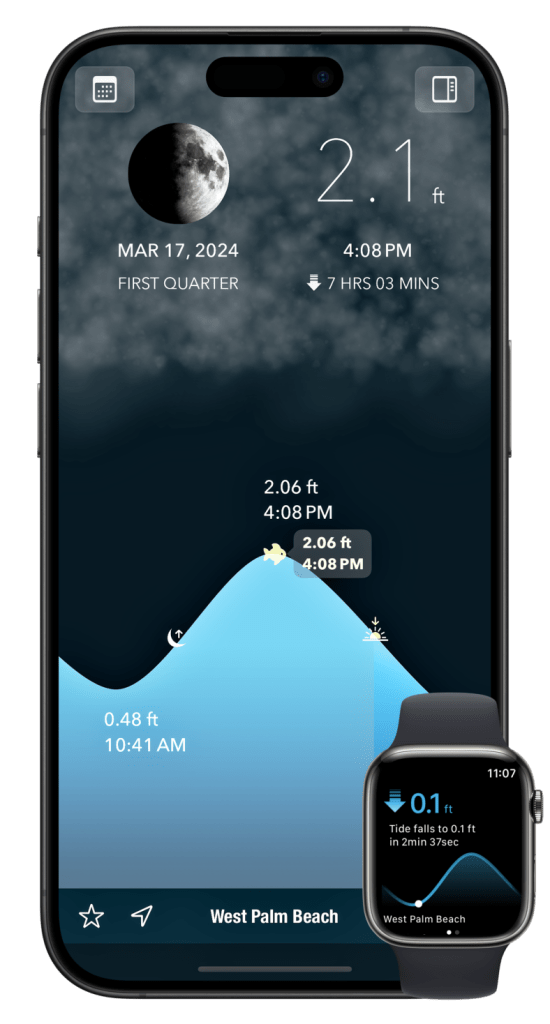
First impressions are good, starting with it’s cool ancient Greek-style wave icon. It is a clean, modern look with great blue colors. When I click on the app the first thing I see is a beautifully laid out screen with clear, crisp graphics that tell me: the date, state of the moon, current height of the tide and whether it’s rising or falling, when the tide will be at it’s highest and when the tide was at it’s most recent low. The colors of the presentation are good, strong contrasting with a dark gray and nice cerulean blue. One thing that could be better is that the fonts could be a little bigger for more “experienced” eyes, or I just need to put on my reader glasses. Nevertheless, the homescreen has a lot of pertinent, useful information.
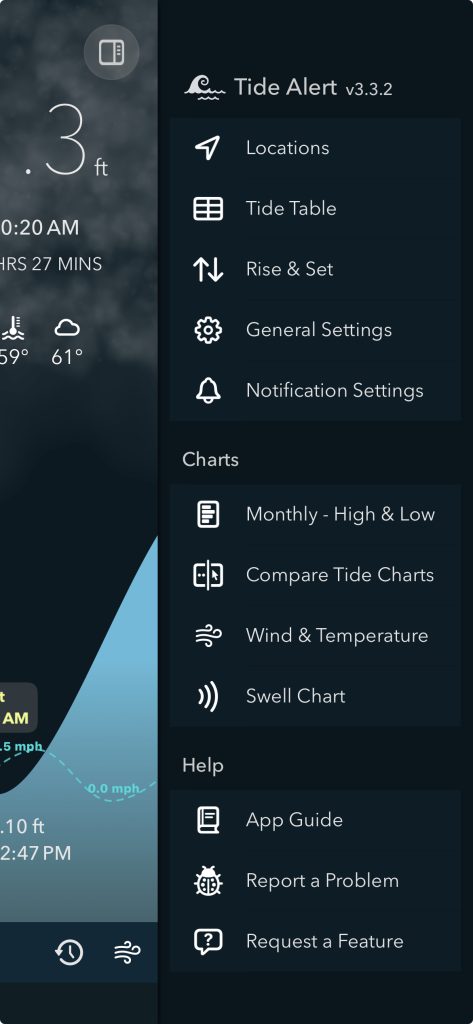
Located in the upper right hand corner of the home page is the menu mini-icon. Opening that I see clean, easy to find options like locations, tide table, rise & set, general settings, notifications settings and Get Tide Alert Pro. I also see that I can get charts: monthly – high & low; Compare Tide Charts; Wind & Temperature; and Swell Chart. There is a Help option that offers up an App Guide or a Report A Problem option and some additional “Other” options. The menu is clear, no guessing. I like this.
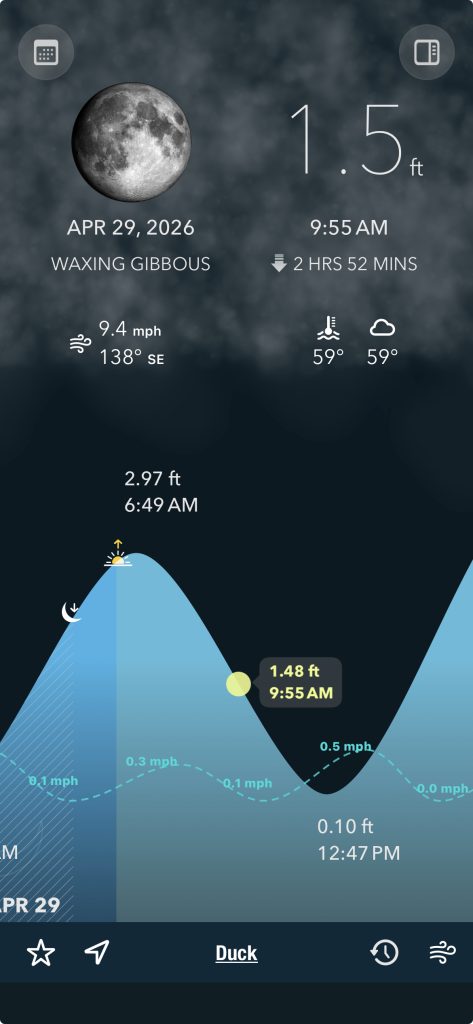
I decide to set what I can see on my home page in addition to what is already there. Easy. I am excited to see that I can set the units to feet (yes!) or meters (no!), temperature (F or C), and wind speed. I can search for the station closest to me or anywhere. I opt for the station that happens to be right next to my house (who knew?). I add the local current wind speed, weather, and water temperature to my home screen. Wind and weather are important for birding on the mid-Atlantic coast as the direction tells me how the coastline is going to look, tide-wise, and also where and how much water will be in the Sound (it is not tidal, but wind direction pushes the water east or west) west of me and if there will be marsh flats or knee-high water. Waders anyone? It also helps me guess what migrating birds may be blown east to the Outer Banks or pushed west to the eastern North Carolina mainland.
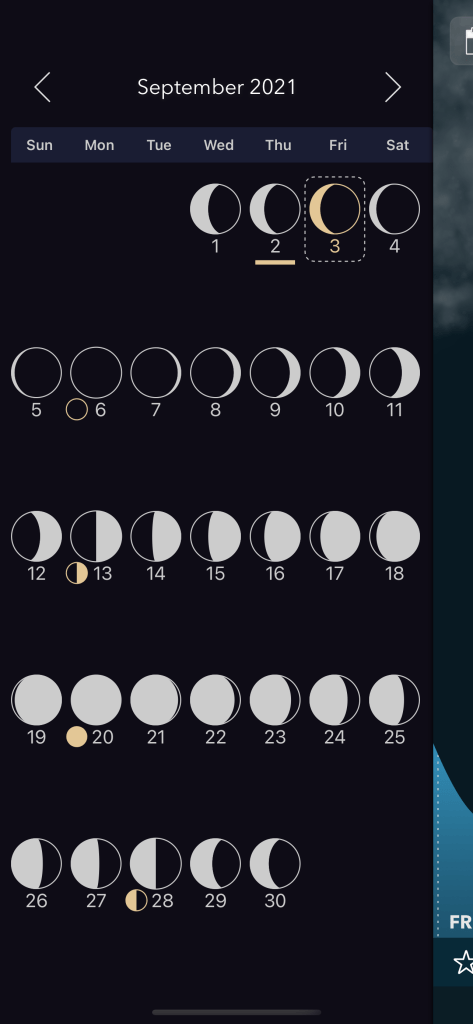
Another interesting feature is the moon chart which has detailed daily moon phases depicted by little round moon graphics that are simple to see and tell me what phase the moon is in or will be in this month or next month or even last month. I like knowing when it is going to be a full moon for night time beach walking. This chart nails it.
I have been using the Tide Alert Pro for about a month and I like it. Beyond using it for birding, it has become my daily regular app to check the weather and the wind, wind direction, and temperature. I like how easy and intuitive it is. I used the iOS free version initially and then the paid version Tide Alert Pro. Both offer a lot and are worth it. The paid version gives me more charts and options which I am enjoying and it builds off the basic information in the free version. I recommend trying out both versions to see which one suits your needs most. You can do this at https://tidealert.app .
I highly recommend the Tide Alert App for all your coastal needs. I wish you all happy birding and dry feet!








This app is not available in The Netherlands (nor Europe is my guess).
The app is available in the US, UK and Australia only.